My Top 5 AI Wishes for WWDC26
Apple says WWDC26 will spotlight 'AI advancements and exciting new software and developer tools.' Here are five things I most want them to ship — the gaps slowing me down most in the era of agentic engineering.
20 post(s)
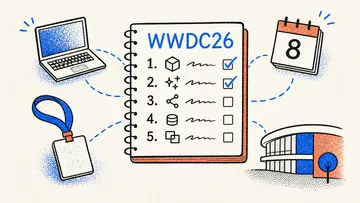
Apple says WWDC26 will spotlight 'AI advancements and exciting new software and developer tools.' Here are five things I most want them to ship — the gaps slowing me down most in the era of agentic engineering.

From attention-grabbing pulsating buttons and versatile label layouts to cross-platform checkboxes and vertical form styles - discover the SwiftUI styles that bring polish and consistency to your apps. These battle-tested styles power the UI of 10 production apps and counting.

Discover powerful SwiftUI extensions for clean optional bindings, intuitive color management, XML-style text formatting, and more. These battle-tested utilities will help you write more elegant SwiftUI code while reducing boilerplate in your apps.

From smart color contrast and streamlined error handling to simplified deletion flows and platform-specific styling - discover the SwiftUI modifiers that eliminate common boilerplate code and help create more maintainable apps.

From platform-specific values without #if checks to sophisticated selection controls and async state management - discover the essential SwiftUI types that helped ship apps faster. These battle-tested views and types fill common gaps in SwiftUI development.

Struggling with in-app subscription integration? Discover how FreemiumKit transformed my development process, helping me overcome challenges with RevenueCat and fast-tracking my app's launch.
From a SportsKit API and .zoom modifier in SwiftUI, over improved SwiftData and source control in Xcode, to my biggest pain points in tvOS and visionOS, and much more! Blending long-standing requests with fresh ideas.

How I migrated my SwiftUI app CrossCraft to support visionOS for the Day 1 Release of the Apple Vision Pro. It took effectively about 2 hours in total, this article summarizes my key learnings along the way.

Learnings from modernizing the window handling of my Mac app after upgrading to SwiftUI 4. Explaining `\.openWindow`, `.windowResizability` & more.

How I fixed a subtle bug in SwiftUI Pickers in my app by using a Property Wrapper instead of conforming Binding to Equatable.

Sharing my learnings and my code structure after migrating my app to the vastly modernized APIs of TCA 1.0.

Fixing Xcode bugs that make SwiftUI previews fail in apps modularized with SwiftPM and that are using CoreData.
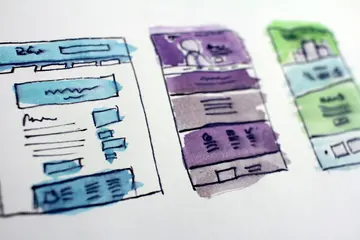
Adding a missing SwiftUI component for prototyping purposes.
The proper SwiftUI pattern for icon-only buttons that preserves accessibility without sacrificing readability.
A reusable button component that handles async actions with automatic loading state, disabling, and success/failure indication.
SwiftUI's ImageRenderer silently fails on views that use UIKit or AppKit under the hood, like List and ScrollView.
Understanding the mental model shift from imperative navigation in UIKit to data-driven navigation in SwiftUI.
SwiftUI's AsyncImage does not allow the .resizable() modifier, requiring a phase-based workaround.
A preview-only helper that simulates network delays so you can see loading states in SwiftUI previews.
How to create a pulsating button effect in SwiftUI to guide users during onboarding.