
The End of String-Based Asset References
One of the quieter but impactful changes in Xcode 15 is built-in type-safe access to asset catalogs. Previously, referencing an image or color from your asset catalog required a string literal:
// Before Xcode 15
Image("custom-header-icon")
Color("primaryBrand")
This was fragile. Rename an asset and your code compiles fine but crashes or shows nothing at runtime. Tools like SwiftGen existed specifically to solve this by generating type-safe constants from your asset catalogs.
What Changed
Xcode 15 now generates Swift accessors for every image and color in your asset catalog automatically. You access them through the resource initializers:
// Xcode 15+
Image(.customHeaderIcon)
Color(.primaryBrand)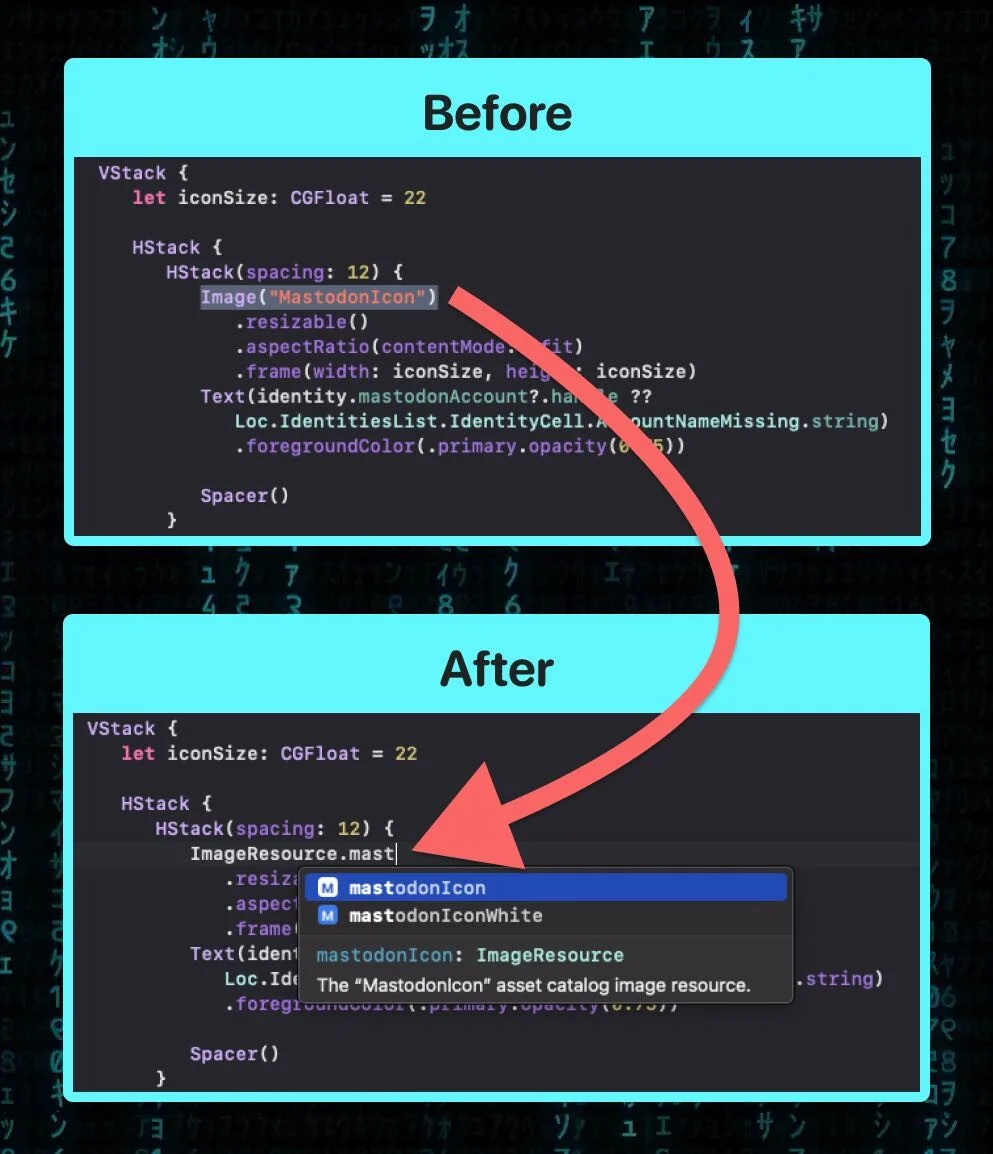
The compiler knows about your assets. You get full autocomplete, and if you delete or rename an asset, you get a compile-time error instead of a silent runtime failure.
Apple Sherlocked SwiftGen
This is effectively Apple integrating what SwiftGen has provided for years. For teams already using SwiftGen, this is a good time to evaluate whether you still need it. The built-in solution covers the two most common use cases – images and colors – without any build phase scripts or code generation steps.
There are still reasons to keep SwiftGen if you use it for fonts, localized strings, or other resource types. But for asset catalogs specifically, the native solution is now good enough for most projects, and it works out of the box with zero configuration.