
The Legacy Localization Workflow
Working with .strings and .stringsdict files has always been one of the rougher edges of Apple development. Plain text key-value files are easy to get wrong – missing semicolons, mismatched keys across languages, no way to see translation progress at a glance. And .stringsdict files, used for pluralization rules, are XML-based plist files that are notoriously difficult to author by hand.
What String Catalogs Bring
Xcode 15 introduces a new .xcstrings file format called String Catalogs. It replaces both .strings and .stringsdict with a single file that comes with a dedicated visual editor.
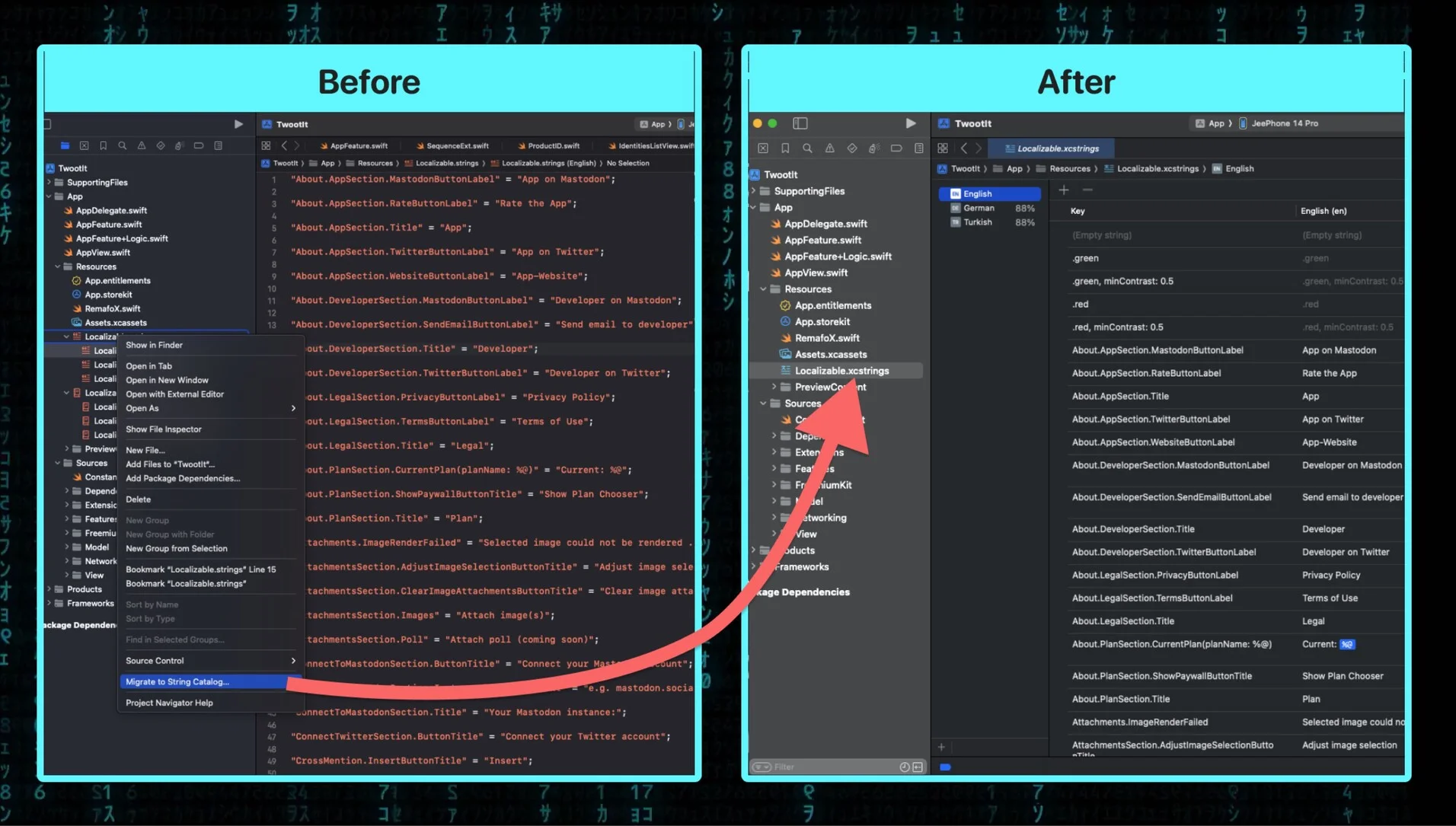
The key improvements are substantial:
Visual editor – All localizable strings are displayed in a table with columns for each language. You can see and edit translations inline without switching between files or using external tools.
Translation progress tracking – Each language shows a completion percentage. At a glance, you can tell which languages need attention and which strings are still untranslated.
Automatic string extraction – Xcode scans your Swift code and automatically discovers strings that need localization. New strings appear in the catalog without any manual registration step.
Built-in migration – There is a migration path from existing .strings and .stringsdict files. Right-click your existing localization files and Xcode offers to convert them to the new format.
Practical Impact
For projects with even a handful of supported languages, this is a significant quality-of-life improvement. The visual editor alone eliminates an entire class of formatting errors. Combined with automatic extraction, it means fewer forgotten strings and a clearer picture of your localization status across the entire project.
If you are starting a new project on Xcode 15, String Catalogs are the default. For existing projects, the migration is straightforward and well worth doing.