
The Misleading Configuration
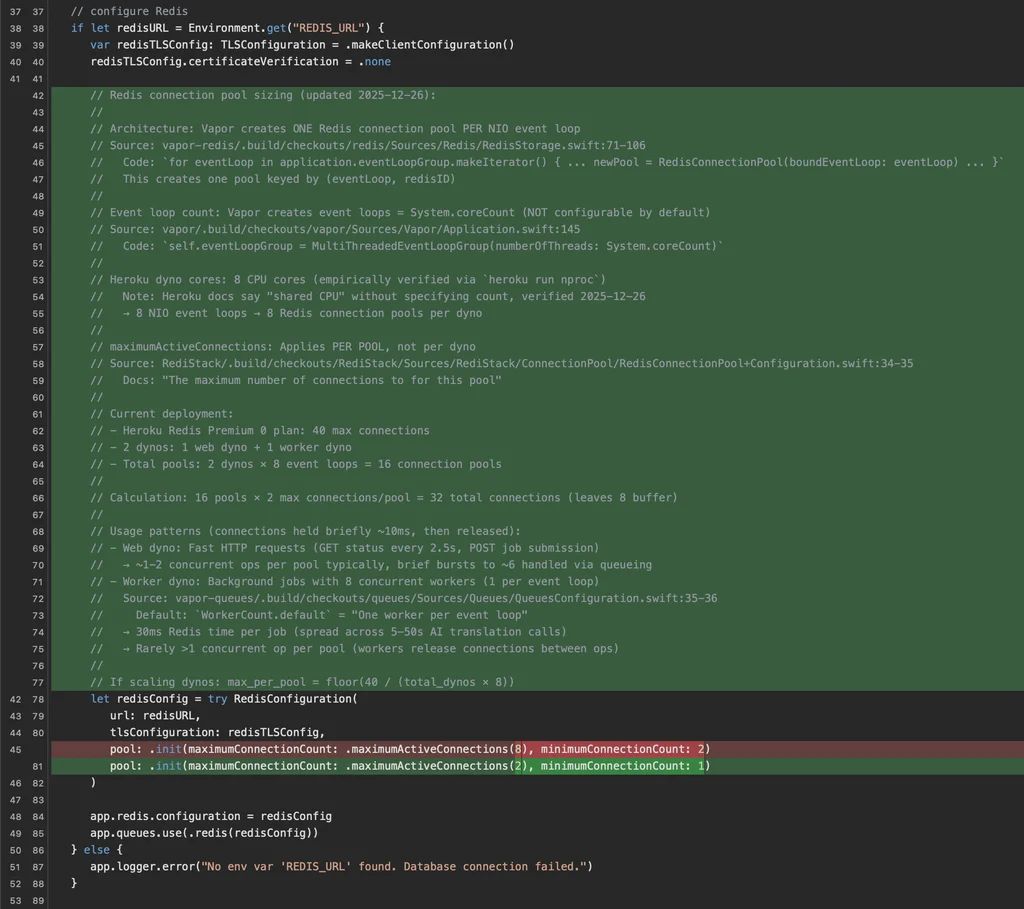
When configuring connection pools in Vapor – whether for Redis, PostgreSQL, or other databases – you encounter a parameter called maximumActiveConnections. The natural assumption is that this sets the total maximum connections for your application. It does not. It sets the maximum per NIO EventLoop.
This distinction matters enormously in production.
The Math That Surprised Me
On a typical server, Swift NIO creates one EventLoop per CPU core. So the actual maximum connection count is:
actual max = maximumActiveConnections * CPU cores * number of dynos/instancesI had configured maximumActiveConnections to 8, thinking I was capping my Redis connections at a reasonable 16 across two dynos. The real number:
8 (per event loop) * 8 (cores) * 2 (dynos) = 128 potential connectionsThat is an order of magnitude more than intended, and it was exceeding my Redis provider’s connection limit during traffic spikes.
The Symptoms
The failure mode is particularly insidious: intermittent 500 errors that only appear under load. During normal traffic, you never hit the real connection limit, so everything works fine. During spikes, connections pile up across all event loops simultaneously, exceeding the provider’s limit. The errors look random and are difficult to reproduce locally because development machines typically have fewer cores.
How to Calculate the Right Value
Divide your provider’s connection limit by the total number of event loops across all instances:
// Provider limit: 40 connections
// 2 dynos * 8 cores = 16 event loops total
// 40 / 16 = 2.5, round down to 2

app.redis.configuration = .init(
   pool: .init(maximumActiveConnections: 2)
)
This conservative setting finally fixed the longstanding rare 500 errors in TranslateKit that had been puzzling me for months. Always check your cloud provider’s connection limits and do the multiplication before deploying.